
Real-Time 3D Rendering
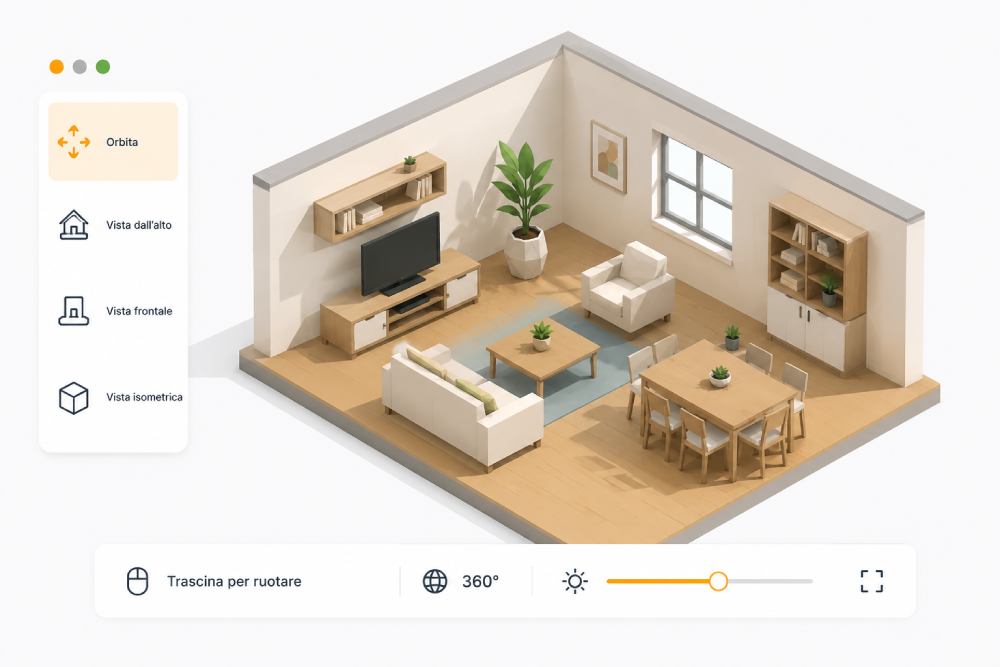
Design rooms with a professional WebGL graphics engine without installing any software. Hemispheric lighting, dynamic shadows, and smooth anti-aliased edges.
-
Perspective Orbit & Preset Views Free 360° orbital navigation with instant switching to top-down, front, and isometric camera angles.
-
Realistic Shadows & Ambient Lighting Calibrated studio illumination to demonstrate true-to-life finishes and materials inside the room.
-
Zero Install directly in the Browser Runs smoothly on any PC, Mac, tablet, or showroom touch-screen without external plugins.
3D Product Catalog, Finishes and Dimensions
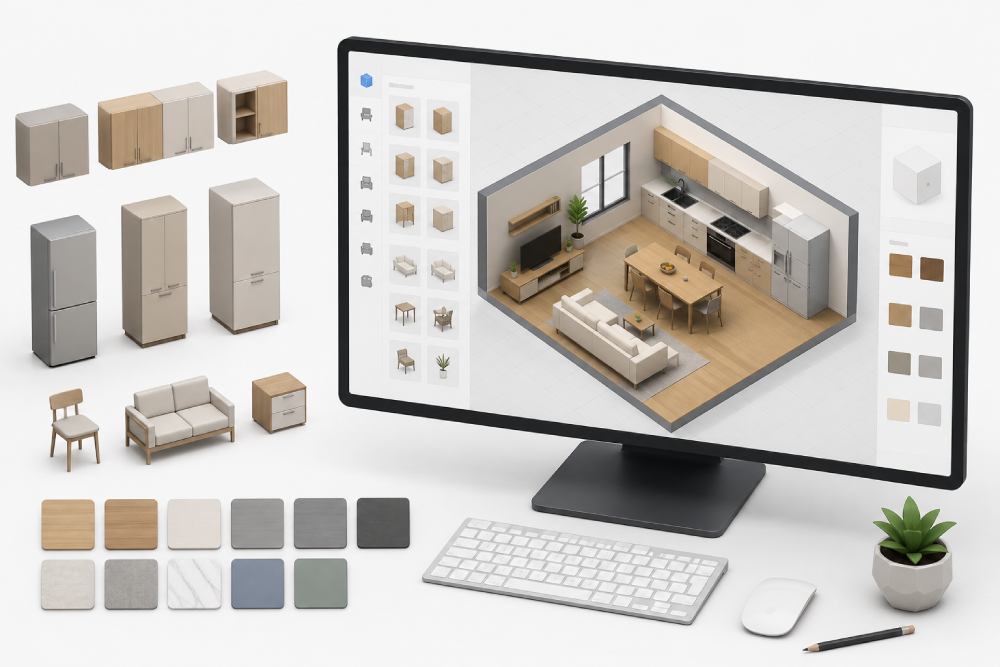
Upload your own furniture catalog or choose our standard library: kitchen base units, wall cabinets, tall units, appliances, sofas, and furnishings in millimeters.
-
High-Fidelity GLTF / GLB 3D Models Import and process 3D models with photorealistic materials, wood grain, and marble textures.
-
Millimetric Dimensions & Technical Specs Instant dimension callouts (Width × Height × Depth) to avoid layout errors and spacing conflicts.
-
Instant Finish & Color Swapping On-the-fly customization of cabinet doors, kitchen worktops, and structural frames.
Drag & Drop and Intelligent Controls
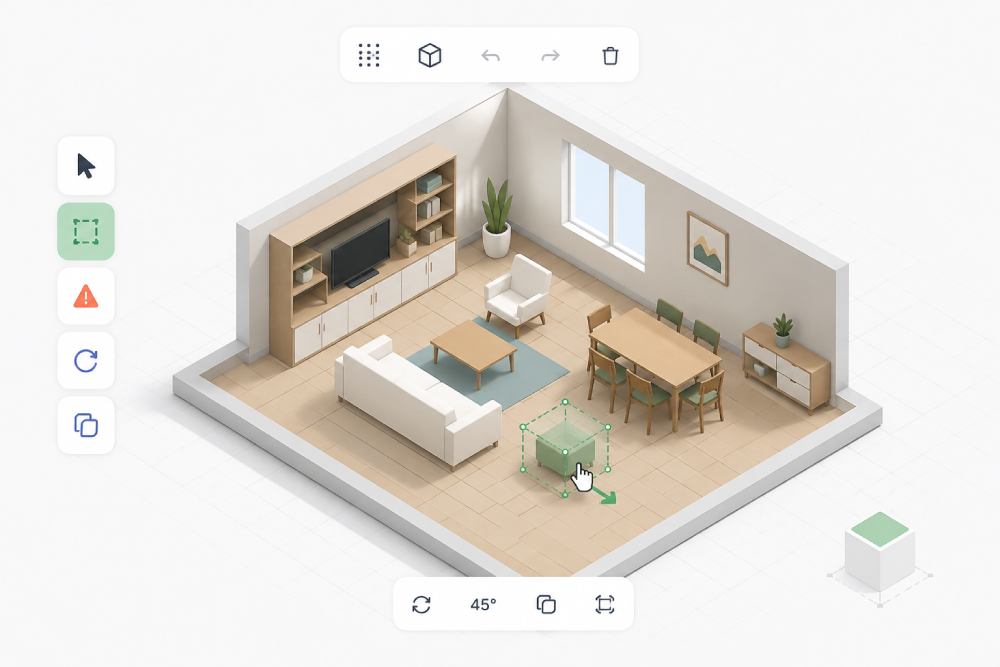
Place furniture into the room by simply dragging with your mouse. Intuitive on-screen gizmos to rotate, adjust height, or align to the grid.
-
Snap to Grid & Auto-Alignment Smooth snapping of furniture modules to room walls and floor grid without overlapping.
-
Real-Time Collision Detection Clear visual red warning if two pieces of furniture penetrate each other during placement.
-
Guided 45° Rotation & Duplication Visual handles to rotate in 45-degree increments or clone objects with a single click.
HD Photo Capture & Client Rendering
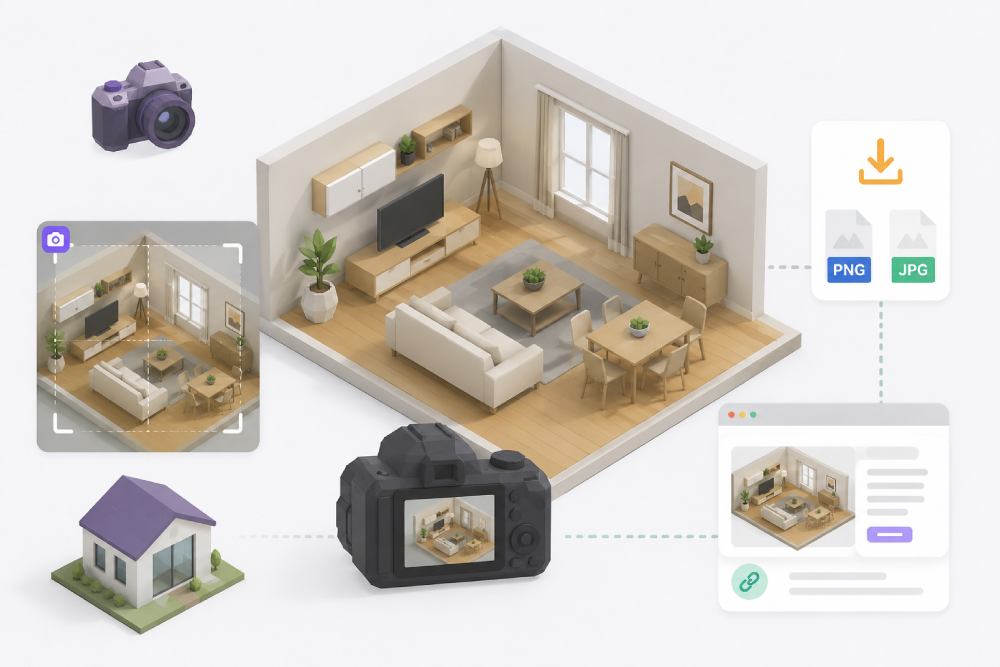
Generate high-resolution photographic images of the interior project with a clean framing mask that hides UI buttons.
-
Professional Framing Mask Composition grid to frame the best camera angle before producing the final high-res render.
-
Instant Render Download Immediate download of PNG/JPG renders ready to attach to commercial sales proposals.
-
3D Project Link Sharing with Clients Send a private interactive link so clients can explore their custom room in 3D from home.
Automated Quoting and Component Breakdown
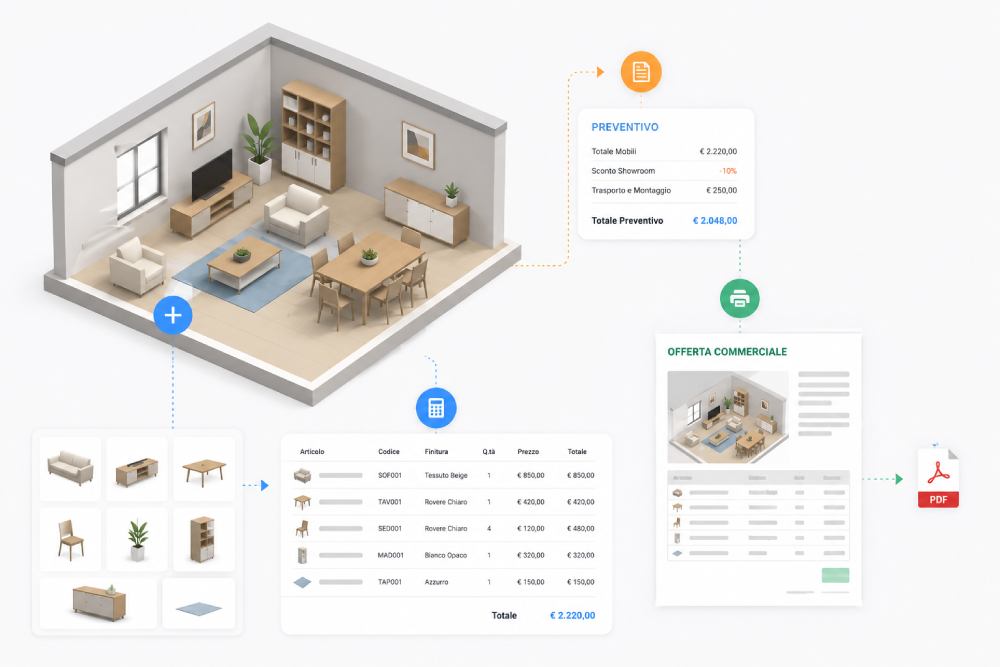
Every item added to the 3D room automatically compiles into a detailed bill of materials with up-to-date pricing for sales staff.
-
Automatic Item Counter Live itemized list of furniture elements with SKUs, chosen finishes, and quantities.
-
Showroom Discount Calculations Automatic application of promotional discounts, percentage markups, and optional delivery/assembly fees.
-
Client PDF Commercial Proposal Print-ready sales quote featuring 3D renders, itemized inventory, and signature-ready contract.
Project Archive & Sales Team Management
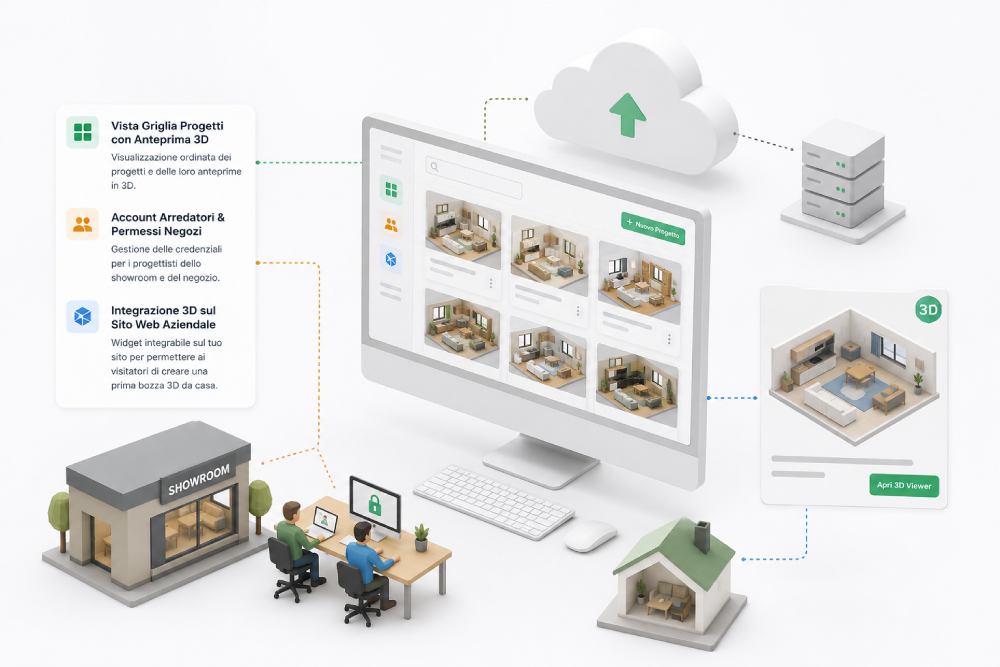
Central dashboard listing all saved interior projects. Assign clients to specific showroom sales reps and sync to the cloud.
-
Projects Grid with 3D Thumbnails Organized customer project library with auto-generated visual thumbnails.
-
Designer Accounts & Permissions Role-based credentials for showroom interior designers and tracked sales performance.
-
3D Widget for Corporate Website Embeddable website widget allowing visitors to create an initial room draft from home.
Ready for External Integrations & APIs
Connect seamlessly with furniture retail ERP software, manufacturer GLTF catalogs, and home decor e-commerce stores.
GLTF / 3DS Catalog Import
Direct loading of open-standard 3D libraries supplied by furniture and kitchen manufacturers in GLTF/GLB format.
E-Commerce & 3D Shopping Cart
Bridge with e-commerce platforms (WooCommerce/Magento) for direct purchase of furniture placed in the 3D room.
WhatsApp Business & PDF
Deliver quotes and 3D renders straight to customer smartphones via WhatsApp or email.
Furniture Retail ERP Software
Export orders directly into warehouse management software for automated purchase order forwarding to factories.
Cloud Asset Storage AWS / S3
High-speed cloud hosting of 3D models and generated renders for instant global loading.
Showroom Project QR Code
Printable QR codes allowing clients to reopen their 3D room instantly on their personal smartphone.
Interactive 3D Sandbox Environment
Access the guided demo to test 360° camera rotation, module drag & drop, and bill of materials generation firsthand.
Core Capabilities of Room Maker 3D
Everything your furniture retail business needs to boost sales closing rates.
Real-Time 3D Rendering
Design rooms with a professional WebGL graphics engine without installing any software. Hemispheric lighting, dynamic shadows, and smooth anti-aliased edges.
3D Product Catalog, Finishes and Dimensions
Upload your own furniture catalog or choose our standard library: kitchen base units, wall cabinets, tall units, appliances, sofas, and furnishings in millimeters.
Drag & Drop and Intelligent Controls
Place furniture into the room by simply dragging with your mouse. Intuitive on-screen gizmos to rotate, adjust height, or align to the grid.
HD Photo Capture & Client Rendering
Generate high-resolution photographic images of the interior project with a clean framing mask that hides UI buttons.
Automated Quoting and Component Breakdown
Every item added to the 3D room automatically compiles into a detailed bill of materials with up-to-date pricing for sales staff.
Project Archive & Sales Team Management
Central dashboard listing all saved interior projects. Assign clients to specific showroom sales reps and sync to the cloud.
Bring Your Products into the 3D Configurator
Don't have 3D models or CAD files? No problem: we digitize your entire furniture catalog. You provide simple photos or specification sheets, we deliver your products fully modeled, optimized, and ready to configure inside Room Maker.
1. Send Us Photos or Catalogs
Zero CAD files or 3D skills required: smartphone photos, PDF catalogs, finish swatches, or simple spec sheets with dimensions (W x D x H) are all we need.
2. Modeling & PBR Textures
Our 3D artists recreate each product with photorealistic PBR materials: wood grain, fabrics, leathers, lacquered or brushed metals, glass, and marble.
3. 60 FPS Web Optimization
We compress and optimize every model in open standard GLTF/GLB format, ensuring ultra-fast loading and fluid 60 FPS rotation on tablets and phones.
4. Live Upload & Pricing
We load your products into Room Maker with categories, size variants, finishes, and price lists linked to automatic quoting.
Request a Demo or Info for your Furniture Business
Fill out the form to request details or activate your 14-day free trial of the 3D editor. Our technical team will assist in setting up your first 3D articles.
3D Model Upload Included
We configure your first 3D products with zero additional setup fees.
No Automatic Renewal
At the end of the 14 days, you decide freely whether to proceed.
Dedicated 24/7 Assistance
Direct phone and WhatsApp support for your showroom team.
Request Demo or Information
Complete the form in under 60 seconds with no obligation.